

Many people want to pay for Twitter verification but find that their cards do not work. Most times, when you try to subscribe directly on Twitter, your payment fails.
The truth is that most cards can actually work, including Opay Verve and Mastercards or any local debit card from your country. You only need to follow the right process. This guide explains step by step how to pay for Twitter (now X) verification in Nigeria using your regular bank card.
Why Most Cards Fail for Twitter Payments
Twitter uses Stripe for its payment system. Stripe is an international processor that charges in US dollars. Most local cards are not allowed to make international transactions, which makes them get declined.
This does not mean the card is bad. It only means the payment route is blocked for direct international charges.
The Working Method: Use Google Play Payment
For Android users, there is a simple way to make it work. Instead of paying directly on Twitter, you can pay through Google Play Store.
When you pay through Google Play, Google processes the payment locally and sends the money to Twitter in dollars. This method allows most cards, including Verve and Mastercard, to work successfully.
Steps to Pay for Twitter Verification with Local Card
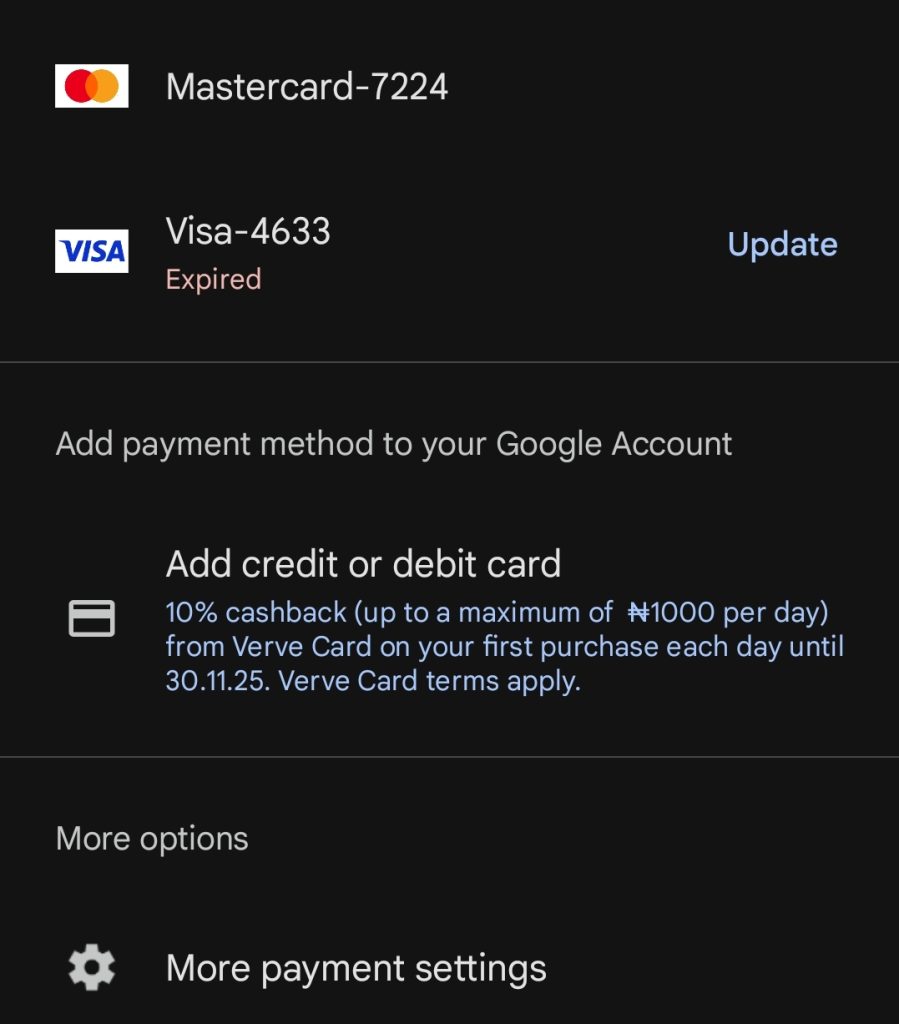
Step 1: Open Google Play Store
Open your Play Store app and tap your profile picture at the top right.
Go to “Payments and subscriptions” and then “Payment methods”.
Step 2: Add Your Card
Select “Add credit or debit card”.
Enter your card details. You can use your Opay Verve card, Mastercard, or Visa card.
If the card adds successfully, you are ready for the next step.
Step 3: Open the Twitter App
Go to your Twitter (X) app.
Tap on your profile and choose “Premium” or “Get Verified”.
Select your preferred subscription plan.
Step 4: Pay Through Google Play
Select “Continue with Google Play”.
Pick the card you added earlier and complete the payment.
You will get a confirmation message once the payment is successful, and your verification badge will appear shortly after.
| Card Type | Works on Play Store | Works on X Website/App | Note |
|---|---|---|---|
| Verve & Visa | Yes (Android only) | Through PlayStore | Enable international use in app |
| Mastercard (GTBank, Zenith, Access, etc.) | Yes | Sometimes if its domiciliary account | Most reliable |
| Visa Card (UBA, FirstBank, Kuda, etc.) | Yes | Sometimes if its domiciliary account | Works well on Play Store |
| Virtual or Physical Dollar Cards (Grey, Geegpay, etc.) | Yes | Yes | Best for iPhone or Android international payment |
If the payment fails, try the following:
- Make sure you have enough funds to cover the dollar charge (about ₦3,000 to ₦10,000 depending on the plan).
- Enable online or international transactions for your card.
- Check that your Play Store region is set to Nigeria.
- Try again using mobile data instead of Wi-Fi.
For iPhone Users
If you use an iPhone, go to Settings, then Apple ID, then Payment and Shipping. Add your card there and return to the Twitter app to subscribe through the App Store. Some Mastercards may still fail on iPhone, so a virtual dollar card might work better.
Alternative Method: Use a Virtual Dollar Card
If your Local card keeps failing, you can use a virtual dollar card.
Popular options include:
- Grey.co
- Geegpay.africa
- Chipper Cash
- Cardtonic
These services allow you to fund a virtual card with Naira or any currency and pay for international subscriptions easily.
You can pay for Twitter (X) verification in Nigeria or anywhere with your Verve, Visa or Mastercard if you use the right method. The key is to add your card to Google Play Store first and then make the payment from the Twitter app.


Good
We are glad you were able to do it